
How to Pay Karnataka Property Tax Online in 2026? A Step-by-Step Guide
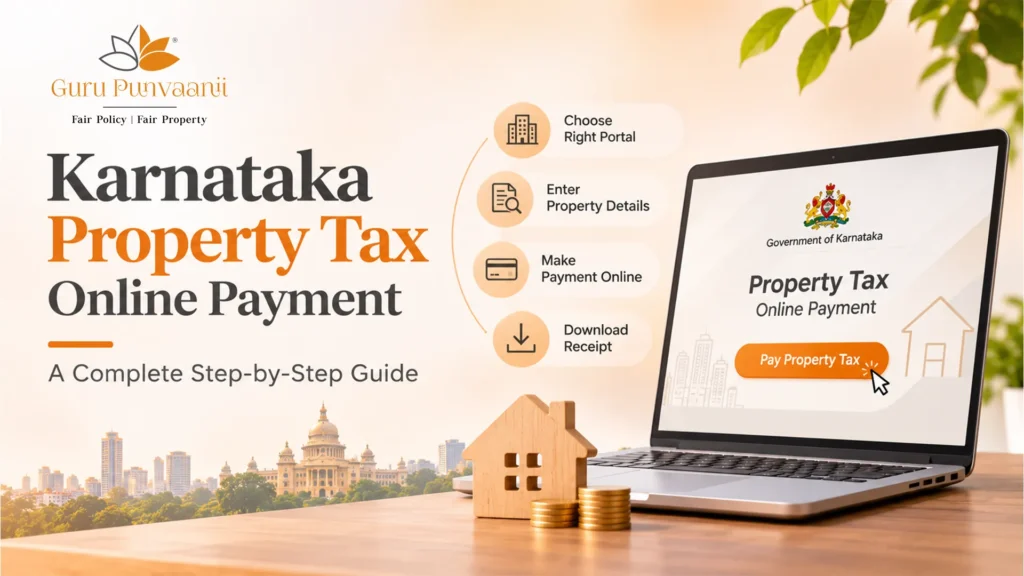
Karnataka property tax online payment takes about five minutes in Bengaluru. You can simply open the official portal, enter your PID or SAS application number, check the owner’s name and tax demand, pay by UPI, net banking, or card, and download your receipt. Outside Bengaluru, your own city corporation or municipality runs the process, so check its portal first!
- What Is Karnataka Property Tax and Why Does Online Payment Matter?
- Who Needs to Pay Property Tax Online in Karnataka, and Which Portal Applies?
- How to Pay Property Tax Online in Karnataka: Step-by-Step
- What Details and Documents Do You Need for Karnataka Property Tax Online Payment?
- Common Mistakes You Can Avoid When Paying Property Tax Online
- Property Tax Online Payment Checklist
- Final Thoughts
- Frequently Asked Questions
If you own a flat, plot, or villa in Bengaluru, you probably know the feeling. The reminder arrives, and you remember the paper challans and the queue at the ward office, and you wonder whether it is really fine to pay for your phone. It is actually much easier than most people expect it to be. But we hear this question from new plot owners almost every month at Guru Punvaanii, so we are putting everything we tell them into one place.
What Is Karnataka Property Tax and Why Does Online Payment Matter?
Karnataka property tax is the yearly amount your local civic body collects on land and buildings within its limits. This money pays for the things that you normally notice when things go wrong: roads, drains, streetlights, and garbage pickup.
In Bengaluru, the amount is worked out using the unit area value system. So, the city is divided into zones, each with a per-square-foot value, and your tax demand is the figure the authority says you owe for that assessment here.
Now that the world is moving online, paying online makes a lot more sense. You get an instant receipt, there’s no middleman, and your record stays clean. And yes, keeping your Karnataka property tax paid matters more than you think. When you sell, apply for a home loan, or download your e-khata, a spotless tax history will make everything much smoother.
Who Needs to Pay Property Tax Online in Karnataka, and Which Portal Applies?
Do you own an apartment, villa, commercial unit, or even a vacant plot inside a municipal limit? Well, congratulations, because Karnataka property tax is yours to pay. Tenants usually do not pay it unless the lease says otherwise. However, what changes is where you pay, because property tax payment online Karnataka owners too look a little different depending on where the property sits.
| Where is your property? | Who collects the tax | Where to pay online |
| Inside Bengaluru limits | Five city corporations under GBA | bbmptax.karnataka.gov.in |
| Other Karnataka cities and towns (Mysuru, for example) | Your city corporation or municipality | That body’s own portal; confirm the link on its official website |
| Gram panchayat areas | The gram panchayat | Process varies; ask the panchayat office, as these are not on the Bengaluru portal |
Many of our buyers own plots near Anekal, Bidadi, Attibele, Tumkur Road, and Mysuru. These sit at the edges of growing towns, where the line between city, municipality, and panchayat isn’t always obvious. If you are still unsure which authority applies to your site, then contact us and our teams will be happy to help you navigate before or long after registration.
How to Pay Property Tax Online in Karnataka: Step-by-Step
Here is how you can pay property tax online in Karnataka’s capital city. The flow and steps are the same whether you use a phone or a laptop:
Step 1: Open the portal.
Step 2: Choose the Pay Property Tax option.
Step 3: Enter your SAS Base Application Number or PID. If your property was renewed or re-registered, you can use the renewal number or PID.
Step 4: Verify the details by checking the owner’s name, address, and assessment year.
Step 5: Review your tax demand, as you will see the current year’s amount and any rebate that might apply.
Step 6: Pick a payment mode like UPI, net banking, debit card, or credit card.
Step 7: Once you have paid, you will need to wait. Do not refresh or press back until the confirmation appears on your screen.
Step 8: Save the PDF on your phone and send the downloaded receipt to yourself or a family member by email.
What Details and Documents Do You Need for Karnataka Property Tax Online Payment?
If you want to have a smooth Karnataka property tax online payment, then you can keep these ready before you open the portal:
| Detail | Where to find it | Why it matters |
| PID / SAS application number | Last year’s receipt, khata certificate | It identifies your exact property |
| Owner name as per records | Sale deed, khata | It must match what the portal shows |
| Assessment year | The portal’s tax demand screen | Stops you paying the wrong year |
| Mobile number or email | Yours | Confirmation and receipt delivery |
| Payment method | Your UPI app, card or bank login | Failed payments often come down to limits |
If you have just bought a plot, this is where first-time owners often get stuck! There are chances that your PID may still be linked to the previous owner or to a larger layout. So, it’s important that you keep your sale deed and khata papers close.
Common Mistakes You Can Avoid When Paying Property Tax Online
Most of the problems with property tax payment online in Karnataka that owners report are small and very much fixable. Below are the ones we have seen many times, which you can avoid:
| Problem | What to do |
| Wrong name or property details on the portal | Don’t guess. Raise a correction request with your city corporation’s revenue office, and ask whether to pay in the meantime |
| Money deducted but no receipt | Don’t pay again. Note the transaction ID, check the payment status on the portal, and contact your bank if it isn’t updated; reversals typically take a few working days |
| Paying for the wrong assessment year | Check the year on the confirmation screen before paying |
| Using look-alike websites or agents | Type the official address yourself and never share OTPs |
| Not saving the receipt | Download it straight away and keep a copy in two places |
Property Tax Online Payment Checklist
To make it easier for you, here is a list you can check before and after every Karnataka property tax online payment:
- I typed the official portal address myself
- I have my PID or SAS application number
- The owner’s name matches my khata or sale deed
- I’ve picked the correct assessment year
- I’ve reviewed the tax demand, arrears and rebate
- I know the due date and rebate deadline
- My UPI or bank limit covers the amount
- I waited for the confirmation screen
- I downloaded the receipt PDF
- I saved a second copy and noted the transaction ID
Final Thoughts
If you look at it, then Karnataka property tax online payment is really just a few small habits that you need to adopt. It includes finding your PID, verifying the details, paying on the official portal, and saving the receipt. Once you have done it, you will wonder why you ever stood in the queue! If you want to make it even simpler and remember only one thing about how to pay property tax online in Karnataka, then make it this: Check the name, the year, and the amount before you pay.
Your next step after this article should be very simple. Just open the portal today and look at your tax demand, even if you don’t pay right away. And if you’re still choosing a plot or villa, or you have bought one and are not sure which authority covers it, talk to us. You can visit our projects page or contact us, and we’ll answer your questions now rather than have you worry about it later.
Frequently Asked Questions
How can I pay Karnataka property tax online?
If you’re wondering how to pay property tax online in Karnataka, you can start on your local authority’s official portal. In Bengaluru, you can enter your PID or SAS number, verify the details, pay by UPI, net banking, or card, and download the receipt. You can also refer to our guide on Bangalore property tax calculation and online payment for detailed steps.
What details are needed to pay property tax online?
For Karnataka property tax online payment, you will need your PID or SAS application number, the owner’s name as per the records, the assessment year, and a working payment method. Your mobile number can help you with the confirmation, and if you have recently bought the property, then keep your sale deed in Khata handy in case the records need some checking.
How can I download the payment receipt?
After a successful payment, the portal will show you a confirmation page with the receipt that you can download as a PDF. You can save it straight away. But if you close the page too early, then you can search for the PID on the portal and look for the payment history or user transaction ID from your bank’s message.
What if my property details are incorrect?
Do not pay under a wrong and hope it sorts itself out. For property tax payment online, Karnataka offices can guide you on whether to pay the current demand while the correction is processed.
What if an online property tax payment fails?
Firstly, you should not pay twice. If money has left your account, then note the transaction ID and check the payment status on the portal. In most cases, the failed property tax payment online Karnataka transactions are reversed by the bank within a few working days. If that is not the case, then you can contact your bank with the reference number and keep the screenshots ready.
How can I check payment status?
You can return to the official portal and search for your PID or SCS number to view your payment history and receipts. If the portal is not showing any entry even after a few days, you can raise it with your city’s corporation and share the bank’s proof. You can also learn how to check property ownership and tax records in Bangalore for additional verification guidance.
Does the process differ by local authority?
Yes, how to pay property tax online in Karnataka depends completely on the property where the property sits. In case of Bengaluru, it uses a portal for the five city corporations under GBA while other cities and towns run their own systems.
